Alright, the post isn't actually about transformers (which I have
been a huge fan of since I was a kid), it is about my TF-101 Asus Eee Pad
transformer, which I have been enjoying immensly since I bought it this month.
As I mentioned
previously in my about post, I am an avid listener of podcasts and spend a lot
of time hearing about the 'next big thing' and the various reviews of them. I
am also a regular passenger on the GO transit train system here in Toronto (to
commute to work) and in addition to listening to what new tech toys are out
there, I get to see them first hand on my way in. So let me tell you first how
I got this cool little device, before I get to my thoughts on it and using a
tablet in general.
The story behind
my eee pad:
For the vast
majority of my life being a parent, many things have come in the way of me
getting some of these new toys... most parents are familiar with the house
bills, kids and other things that generally divert funds away from where I
would ideally place them... so needless to say I have been in a constant state
of tech envy for years.
About 9 months
ago, I started to hear reviews about the Macbook Air and how thin/light it was
and everyone seemed to be raving about it, so I thought to myself, that's the
computer for me! So I started to run the idea through the budget committee
(wife) to see when we could fit this purchase in. To my surprise, it happened
not even 2 months later while we were in Best Buy, I was literally minutes from
purchasing it, but for some reason decided to hold off on it. After that my
approval was revoked for a bit and became busy, so I didn't really think too
much on it.
So about 3 months
ago I shifted my position on the GO train, which occassionally people do (but
not often, you can seriously see the same people everyday in the same spot...
almost as if you work with them). Before the move I was used to seeing people
and their iPad 1 ; 2's, it was no sweat for me... didn't really have an
interest in one. In my new spot I am sitting near an older woman, must be in
her 60's and she ALWAYS has her iPad out. This started to bug me. It's not that
I don't think that older people shouldn't embrace tech, or even that I really
care that she even has an iPad... it was the thought of me, self-proclaimed
technofile sitting on a train with an iPhone 3G trying to make the most out of
the slow device and there is an older woman, who most likely does not have an
interest at all in tech, sitting across from me with newer tech. How is it
possible that I am so late to the game that an older woman has newer tech than
I do?
After about 2
weeks of watching how wonderfully she played her word games on her iPad I had
had enough, I needed to correct this imbalance. So I got thinking on the
Macbook Air again, but also on how nice it would be to have some sort of a
touch screen. Also being a huge Linux fan, thought that maybe I should get out
of the walled garden that is Apple to the more open pastures of Android. Then
an ad that I had been seeing a lot recently at Walmart popped into my mind... a
tablet with a keyboard! Eureka! That's it, that's what I want! I wanted to try
out Android anyway. So I checked it out at Walmart and looked up reviews. Long
story short, have an eee Pad transformer that I am now blogging from.
Thoughts on
Android:
After nearly 3
weeks or more (not really keeping track) I am really impressed with Android
3.2, can't actually wait to see what 4.0 is going to bring. Before this device
all I had was an iPod2G and an iPhone 3G, so I only knew Windows, Linux and
iOS. I was pleasantly surprised as to how easy it was to catch on and how many
things I preferred on Android vs. iOS. So first, based on my information from
my fellow technologists, here are a few things I thought would be a problem
with Android:
- Inconsistency/instability in the platform.
- Android Market
would be the 'wild west' and it would be difficult to find software.
- Worries about
updates to the platform.
To my surprise,
when starting to use my TF-101 about the only thing that I couldn't wrap my
mind around initially was how the home screens were setup, and how to
add/remove items from it. The platform was rock solid, I didn't have any hangs
that required rebooting the device and when there was a pesky program that
seemed to soak up the CPU, Android told me about it and asked me nicely if I
would like to terminate it or wait.
The Android Marketplace was another
surprise (and even more so with the recent changes), I had NO IDEA what I
should be putting on this device, but when going to the Marketplace it was a
nice surprise to find that most good programs that are in the Apple Appstore
are also in the Android Marketplace... or at least the ones that I cared about.
This was a no-pain transition, which totally surprised me, but the fact that I
am a technical person probably helps that a lot.
Something that I have heard
about in the tech world regarding Android devices are that updates are few and
far between. Because of this I thought that perhaps I will get one more major
update to the platform for this device before the OS remains static. While that
remains to be seen, ASUS has promised ICS for this device so at least I am
guaranteed at least 1 upgrade. If you do a little research out on the net, you
can quickly quash most worries as there is always Cyanogen mod and if all else
fails you can even put Linux on it (which i will likely do when there are no
further updates).
Another couple of
things that I like about Android specifically is the multi-tasking and the
settings. I have been so accustomed to my jailbroken iPhone 3G multitasking (if
you can call it that) that I thought it would be the same on Android, but it
isn't. Things multitask quite well on the OS and my standard for testing this
was the Citrix connection into work with my iPhone vs. my TF-101. With iPhone
it 'pauses' the app, so you either end up re-loading the app from the beginning
or it will just continue from its paused state, which doesn't work too well for
Citrix given that it depends on a network connection. So on the iPhone, if I
ever move away from the app, it results in me having to log in which is a
complete pain. On the TF-101 I can jump to many different applications and when
I move back to Citrix, there it is, waiting for me network connection and all.
Closer to true multitasking if you ask me, I would say full, but I have found
from time to time apps are paused or unloaded and I have no idea what the
process is for that or why it happens.
The settings are
also great as there are a lot of things that you can access and change, the
specific things that got me were to be able to 1) See what applications are
running and kill them. 2) See what applications or things that are killing your
battery. Those 2 things are enough to make me think highly of the settings
along with the presentation of the settings, but I am sure there are many more
things that make it interesting.
Thoughts on the
TF-101:
After having this
device for a while I think it is one of the best devices out there, and I think
it is a ground breaking genre... just not revolutionary, because the concept is
nothing new. I like to think of it as the blackberry torch of the tablet world,
only in the sense that it is the best of both worlds... you have your touch
screen and also a keyboard, the choice is totally up to you. I don't know about
you, but I find typing on a tablet a miserable experience no matter what trick
you try and believe me I have tried. One I often try is to hoverer my hands
just above the keyboard to try and avoid touching the screen. This does not
work well, I am certainly not going to get 80 - 100 words per minute this way,
and this is what makes me so glad that I have the option of a keyboard.
I know that there
are some purists out there that believe that if you are going to have a tablet,
it should be just that, a tablet. But I find that to be an extreme point of
view because there is no reason why you cannot have both if you want to, and
the TF-101 makes that very enticing in a lot of ways. I don't believe the
argument should be netbook vs. tablet, it should be about what works.
So here is my list
of things that I think are brilliant about the TF-101, we will call it the
'pros' list:
Battery life:
According to
specifications, it is supposed to be usable for 16 hours because it actually
has 2 batteries, one in the tablet and one in the keyboard dock. I have been
using the device an entire day (watching movies (sometimes flash), playing
games, typing documents and surfing the web - my typical use case) and I have
never gotten the battery down to less than 50%. I can't tell you how great it
is to use something and not even give a passing thought to the battery life.
This so much better than the 3 hour laptop battery life I am used to, it is a
complete breath of fresh air and one of the things that makes the TF-101 such a
great device.
One thing you
probably didn't know, or at least I didn't see it anywhere is how the 2
individual batteries work together. Not that I know what ASUS had in mind when
they developed this, but all indications are that they anticipated that you
would use the TF-101 as a tablet before you would use it as a netbook. So, when
you undock screen and use it as a tablet you start drawing from the tablet
specific battery. But rather than just have the keyboard battery as just an
additional battery (which in the event that your tablet battery was near death
you would be forced to use the keyboard), they have instead configured the
keyboard battery to charge the tablet battery. So you may have to use your
keyboard for just a little while, but while you use it you will be charging the
tablet for use.
I think this is a
terrific idea and one of the things that makes this tablet/keyboard combination
work so well.
Storage Capacity:
So by now, living
in a world of iOS devices we are used to buying a device with a predetermined
amount of space. But with Android that sort of decision is left with the
manufacturer and ASUS (and probably most other manufacturers) think that you
should have some input on that. So another one of the key things that I love
about this device is the options for storage.
Starting with the
flash storage, the TF-101 that I bought has a total of 16GB on board, which
would set you back $499 on an iPad2, but what it has that the iPad does not is
expandable flash storage. On the side of the tablet there is a MicroSD slot
that can take flash memory up to 64GB (haven't found a max yet, presumably if
it wasn't 64 it would be 32). And as if that is not enough there is an
additional SD card to the side of the keyboard dock for a maximum of (160GB of
storage, or in my case with the 16GB version, 144GB ==> Onboard Memory +
MicroSD + SD). This does not also include the fact that you could plug in an
external disk to the device if you had a reason to (which I have not tested
yet).
So, if you have a
ton of media that you want to carry with you, this is the device for you.
Keyboard:
As I mentioned
previously, I can type, so I lose productivity when I can't get text on the
screen as fast as I am used to. So it is an added bonus to be able to choose
whether or not you can use a keyboard and not having to lug a bluetooth
keyboard around with you if you needed one with other tablets. Another side
bonus to the keyboard is that it acts as a protective covering for the display,
eliminating the need to by a tablet case.
Regarding the
keyboard, overall, it is not too bad to type on. Having been using a Thinkpad
keyboard for years I find that there is a lot more resistance to this keyboard,
which seems to tire my fingers out a bit, but it is livable because in no way
is it cramped. The keyboard does have a bunch of nice shortcut keys though that
make it quick to do a few things on Android.
The Screen:
There are a couple
of key things that are great about the screen, the first is of course the
resolution. The screen has a resolution of 1280x800 which is a step up from the
iPad2's 1024x768 and makes it feel almost on par with a laptop screen which
generally have the same resolution. The resolution is fairly crisp, my wife is
always asking my why the same photo looks so good on my tablet than it does on
her laptop. The other great features of the display are the viewing angle and
the scratch resistant screen, which are nice, but I am not particularly
interested in testing.
The Cool Factor:
This won't count
for much and it won't last long, but if you want to get those looks of wonder
as onlookers see what they thought is your netbook suddenly become a tablet,
then the TF-101 does the job. I have received so many looks and questions on
how it works and how cool it is... I kind of like it. Reminds me of that
feeling you get when you buy the first generation of a car and the looks you
get as you drive around in it.
Software:
Though this is not
a PC, it does come with many programs that make the TF-101 useful right out of
the box, there is:
- Polaris Office:
A tablet office suit.
- Music (don't
think it has a program name): Is a half decent music player
- Gallery: A photo
viewing and categorization app that will also import photos automatically if
you happen to plug in a camera or iPhone.
- File Manager:
Which I suspect is standard with Android devices
- MyNet: Which
allows your device to find DNLA devices and play content from them, or use your
TF-101 as a DLNA server.
- MyCloud: Which I
most likely will not use (comes with unlimited storage for a year, after you
have to pay).
There are a few
more that I haven't mentioned as well as the widgets and wallpapers available.
Here are all of
the things that I think could use some improvement with the TF-101:
Camera:
Though I don't
currently have a decent cell phone camera, the camera on the TF-101 doesn't
seem to be that great, particularily the front lower resolution camera. The
software is easy enough to use, I just find that it is hard to get a really
good picture, especially in low light conditions since there is no flash at the
back of the device.
It does take
adequate pictures, even better in daylight, but it doesn't seem to look quite
as good as the pictures taken from an iPhone4, which has the same resolution.
Keyboard/Tablet
Connectivity:
I have been
finding with use, especially after the device goes into power saving, that the
keyboard sometimes seems to disconnect when you come out of power saving. This
has happened on a few occassions where I didn't see the keyboard indicator
(that was there before power saving), which forced me to disconnect and
reconnect the tablet to the keyboard to get access to it.
Touchpad
Sensitivity:
This is a problem
that occurs with almost every computer with a touch pad, it just seems that on
the TF-101 you have to be extra concious of where your fingers are as at almost
every turn I find my cursor moving elsewhere on the screen and often end up
typing in the wrong location. Granted, there is a button to turn the track pad
on and off quickly I think there should be some additional software that will
prevent track pad movements when the keyboard is in use (you see this in Linux
often).
Missing keys:
I like the
keyboard and do think it was well done, but there are a couple of functions I
thought would be nice to have on the keyboard:
- A delete key:
There only seems to be a backspace key.
- A change apps
key: All the other buttons that appear on the screen also appear on the
keyboard with the exeption of the switch apps button. Not that it is a terrible
problem to actually touch the screen, but it would be better if there was a key
you could press to bring up the list of running applications.
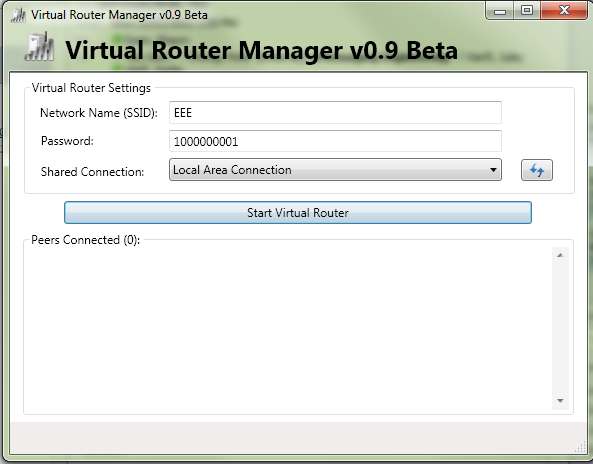
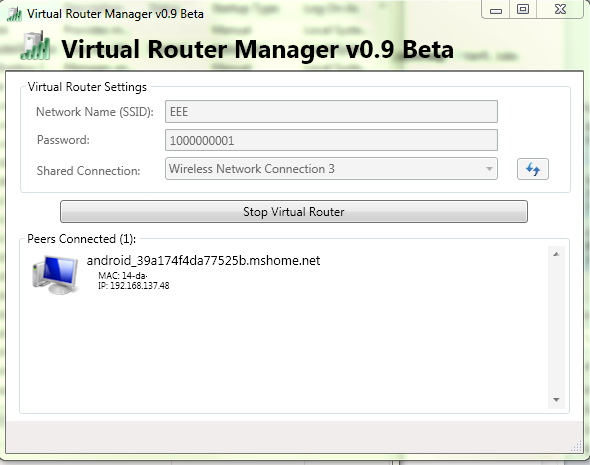
Can't connect to
ad-hoc wireless networks:
This isn't a
TF-101 problem in particular, as I have read all over the net, this is more of
an Android problem. Since there is no built in 3G connection, you would need to
connect to some sort of mobile network. I have tried with Windows 7 on my
laptop and Connectify.me and both have ended up with the TF-101 hanging on
obtaining an IP address. I do have a program on my iPhone that turns it into a
wifi hotspot and that seems to work just fine, but I just can't seem to share
my connection at work.
Summary:
The TF-101 is a
great tablet with a lot of fuctionality. Since buying it I have hardly touched
my main laptop and am instead using the tablet most of the time. It has been
super convenient to have a small, light, long-lasting device that is instant-on
when I need to use it. If you are thinking of buying one, don't hesitate, it is
an amazing device.